


Messages
3.91.21K Reviews
App Specs
- Version
- 2.4.3
- Updated On
- License
- Free
- Downloads
- 10,000,000+
- Developer
- Messages - SMS Messenger
- Categories
- Communication
- Platform
- Android, iOS
Screenshots

 Analysis by AppCompare
When I judge a texting app, I look beyond how quickly I can send a message. I also want to know whether it fits the way I already communicate, what choices I can make when handling sensitive conversations, and whether its extra features are worth relying on. Messages is a communication app from Messages - SMS Messenger, and its appeal is straightforward: it is designed around familiar phone messaging rather than asking everyone I know to join a separate service.
That distinction matters in everyday life. SMS is useful when I need to reach someone who may not use the same chat platform as I do, while richer messaging options can make a conversation more convenient when both sides support them. I see this app as a practical option for people who want those kinds of conversations in one place, not as a replacement for every dedicated chat, calling, or collaboration tool.
Where it fits among texting choices
The usual alternatives have different strengths. A phone’s default messaging app may be the simplest choice if it already handles the messages I need, while internet-first chat services can be better for communities that rely on accounts, channels, calls, or shared media. Messages sits in the familiar SMS-and-MMS lane, with RCS available for richer exchanges when the other person and the setup support it. That makes compatibility the key question: the best experience depends partly on what the people I contact can use.
For a family member who prefers ordinary texts, or a service provider who sends a one-off update, a phone-number-based conversation is often less demanding than asking them to install another app. For a group of friends already settled in a particular chat service, switching everyone over just to use this app may make little sense. I would choose it for reach and day-to-day texting, and keep a specialized messenger when its group tools or broader features are what the conversation depends on.
First Impressions and Features
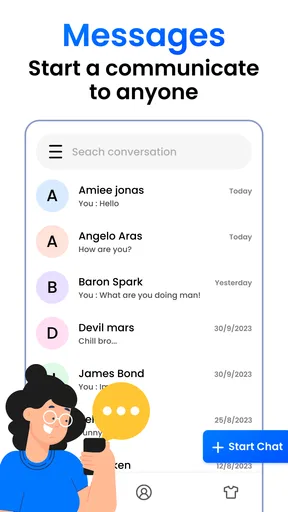
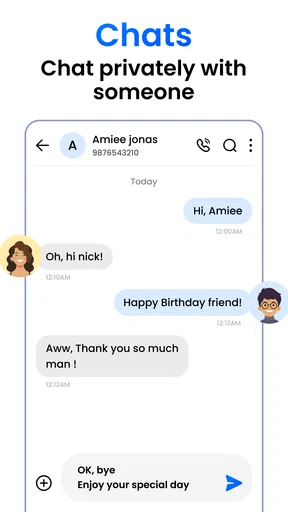
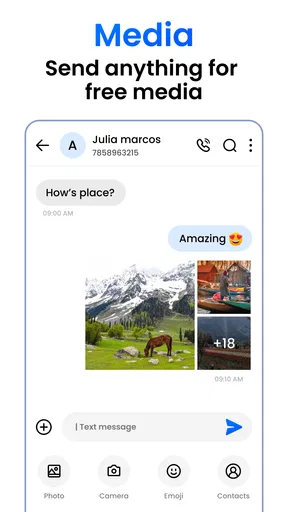
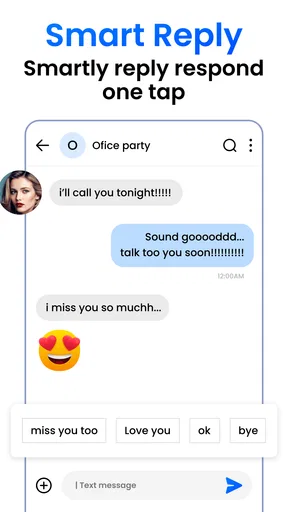
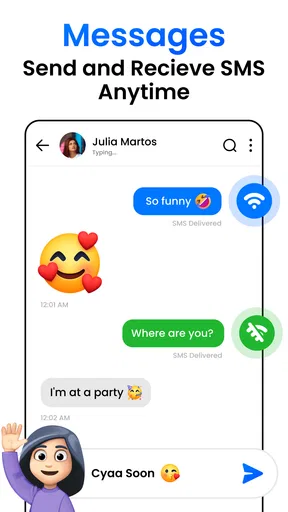
Right off the bat, Messages hits you with its clean and straightforward interface. It’s like slipping into a pair of comfy shoes—everything just feels right where it should be. The app supports SMS and MMS, which means you can send text messages, photos, videos, and even audio clips without breaking a sweat.
One of the features I found particularly nifty is the ability to send messages over Wi-Fi with RCS (Rich Communication Services). This means you can send high-quality images and have richer conversations when both you and your contact have RCS enabled. It’s like having a chat app experience within your text messages!
How I would use it through a busy day
A realistic example is coordinating a change of plans on the way home. I might send a quick text to a relative, share a photo with someone who can receive MMS, and continue a richer RCS chat with a contact whose setup supports it. Keeping these conversations in a messaging app can reduce the need to remember which separate service each person checks. The trade-off is that the experience may vary between contacts, so I would not assume every message has the same capabilities just because it appears in the same app.
Worth Reading Before You Choose

Flipboard Shows What News Apps Must Do Beyond the Feed

Switching to Android Auto Means Rethinking Your Driving Routine

Google Calendar Makes a Crowded Week Easier to Manage

Ludo King Makes the Most of the Minutes Between Plans

Baby Panda World Brings Quick Play to Modern Phones, but Its Game Library Feels Busy

ESPN’s Live Game View Makes Following Close Games Easier
For a practical workflow, I would make the first message in an important new conversation simple and clear, then check whether the exchange supports the kind of media or replies I want before relying on it for time-sensitive coordination. If a photo or other attachment matters, I would pay attention to how it is sent and whether the recipient can open it. This is less about a hidden trick than about recognizing that SMS, MMS, and RCS are not interchangeable in every situation.
Customization and Integration
Now, if you’re someone who loves personalizing your experience, Messages has got you covered. You can tweak chat bubble colors, assign individual tones to contacts, and even set up a dark mode for those late-night chats. Plus, it syncs beautifully with other Google services, making it easy to back up your messages or switch devices without losing a beat.
Speaking of integration, the app plays nice with Google Assistant. You can ask it to send messages for you, or even read incoming texts when you’re busy doing something else. It’s like having a little helper in your pocket.
Small choices that make conversations easier to manage
Personalization is most useful when it solves a real problem. A distinct tone for a close contact can help me notice a message without checking every notification, while dark mode can make late-night reading more comfortable. I would keep those choices restrained: a different color or alert is helpful only if it makes conversations easier to recognize, not if it turns the inbox into a collection of visual distractions.
Assistant support also has a sensible use case when my hands are occupied, such as preparing food or carrying bags. Before using voice features around other people, I would consider whether reading a message aloud is appropriate; convenience and privacy can pull in opposite directions. For anything sensitive, I would rather read it myself in a suitable moment than have a device speak it where others might hear.
The User Experience
Using Messages feels intuitive. Everything is laid out in such a way that even if you’re not the most tech-savvy person, you’ll feel right at home. The app is snappy, with messages popping up instantly, and the overall performance is smooth as butter.
What I love most is how the app handles group messages. You can easily add or remove people, and there’s a neat feature where you can reply to specific messages in a group chat. It keeps everything organized and easy to follow, which is a godsend in today’s fast-paced world.
Trust, privacy, and the checks I would make
For me, a clean interface and convenient messaging do not by themselves establish how an app handles personal information. Text conversations can contain addresses, plans, photos, and other details I would not want to share casually. I would review the permissions requested on my device and the app’s privacy information before making it my main inbox, then decide whether each access request makes sense for the way I use it. I would not treat an unexamined permission as a necessary part of texting.
I would also look for the controls actually available on my device and in the app before sending anything sensitive: notification previews, access to contacts, backup choices, and any account or device settings that affect messages. Their presence and behavior can depend on the phone and setup, so I would check rather than assume. A useful habit is to keep lock-screen previews limited if other people might see the screen, and to avoid using a shared or unattended device for private conversations.
Backups and device changes deserve particular care. The convenience of keeping messages when switching phones is valuable, but I would understand which account or backup setting is involved and who can access that account. Before a reset or move to another device, I would check that the messages I care about are handled the way I expect. This is a more reliable approach than assuming that “sync” means every conversation is automatically protected in every circumstance.
Who is likely to be comfortable with it
I would recommend trying it if most of your communication is ordinary person-to-person texting and you value a familiar inbox, contact-level personalization, and the option of RCS where it is supported. It can also suit someone who wants a straightforward way to keep up with family or coordinate practical plans without persuading every contact to adopt a new service. The app is free to install, carries an Everyone age rating, and has a 4.2 average from around 124,000 ratings, which gives prospective users a broad public track record to consider without guaranteeing that it will suit every phone or preference.
I would be more cautious if your main requirement is a specific privacy model, advanced team administration, or a single consistent feature set across every contact. In those cases, I would compare the relevant settings and capabilities directly with a dedicated alternative before moving important conversations. People who rarely text may also have little reason to replace a messaging app that already works well for them. The best choice is the one that matches your contacts and your comfort with its controls, not simply the one with the most visible options.
What to expect before making it your default
The app is free, though in-app purchases are listed at $9.49 per item; I would check the purchase screen carefully before confirming anything and decide whether an optional purchase is worthwhile for my own use. Its current version is 2.3.9, and it requires Android 7.0 or later. It has passed 10 million installs, and its release date is November 25, 2023. Those details help set expectations about availability and adoption, but they do not answer the practical question of how it behaves on a particular device, so I would test it with a few everyday conversations before depending on it for everything.
A sensible first test is to message a couple of people who use different phones or messaging setups. Try a plain text, then a photo, and notice whether the conversation behaves as expected before using it for a time-sensitive task. I would also check notification behavior and any backup choices during setup rather than waiting until a phone change or a missed message makes those settings urgent. This small trial can reveal whether the app fits my actual contacts better than a general impression of its feature set.
Final Thoughts
So, would I recommend Messages? Absolutely! It’s got all the bells and whistles you’d want from a messaging app, without any of the clutter. Whether you’re looking to keep in touch with old friends or manage work chats, this app has got your back.
Give it a whirl, and you might just find yourself wondering how you ever lived without it. Happy texting!
My recommendation comes with a practical caveat: I would treat it as a convenient everyday texting choice, not assume it is automatically the best place for every private or work conversation. Check the permissions and privacy controls on your own device, test how your contacts’ messages behave, and keep a separate service when your group needs tools this app does not provide. If that balance suits you, its mix of familiar texting, optional richer chats, and simple personalization makes it worth trying.
Pros
- User-friendly interface for easy navigation.
- Seamless integration with contacts.
- Supports multimedia messaging.
- End-to-end encryption for privacy.
- Customizable notification settings.
Cons
- Limited customization options for themes.
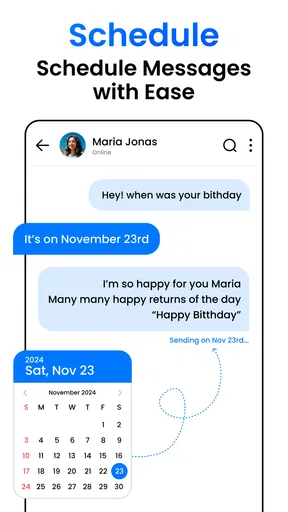
- No support for scheduled messages.
- Requires internet for some features.
- Lacks advanced search functionality.
- No built-in spam filter.
FAQs for Messages
What features does the Messages app offer?
The Messages app provides a comprehensive messaging experience with features like SMS, MMS, and RCS support. It allows users to send texts, photos, videos, and audio messages. Additionally, it supports group chats, read receipts, and typing indicators. The app also integrates with Google Assistant for enhanced functionality.
Is Messages app secure for private conversations?
The Messages app prioritizes user privacy with end-to-end encryption for one-on-one conversations. This ensures that only the sender and recipient can read the messages. However, it’s important to note that encryption is not available for group chats. Users can also enable two-factor authentication for additional security.
Can I use the Messages app on multiple devices?
Yes, the Messages app can be accessed on multiple devices through its web version. By syncing with your Google account, you can send and receive messages from your computer. However, this requires an active internet connection and your phone to be powered on and connected to the web.
Does the Messages app support multimedia sharing?
Absolutely! The Messages app supports a wide range of multimedia sharing options. Users can send images, videos, emojis, GIFs, and even audio messages. The app also allows for sharing of locations and contacts, making it a versatile tool for comprehensive communication.
How does the Messages app handle spam and unwanted messages?
The Messages app includes built-in spam protection features to filter out unwanted messages. It uses machine learning to automatically detect and block spam contacts. Users can also manually block and report spam messages, ensuring a cleaner and safer messaging environment.


